
 −70%
−70%
Candy AI Images: Why GoLove.ai Wins Instead
Candy AI images are polished but static — GoLove adds voice, memory, and photo-to-video for the same character. Compare, instant-access.
Candy AI Images: The Short Answer
Type a message, get a photo. That's the whole trick behind Candy AI's images, and it's also exactly where the trick runs out.
GoLove.ai is the pick here, and not because Candy AI's renders look bad. They look pretty good. The difference is what happens after the render. On GoLove, a photo you asked for mid-chat stays attached to a character who remembers the conversation — voice, memory and relationship progression run underneath the whole thing, so the girl in the photo is the same girl in the next message. And if you want that still to move, Generate Video from Photo handles it without leaving the chat, while clips in the Feed carry a Remix button that reopens the generator preloaded with that exact character and the settings behind it.
Candy AI gives you a good-looking still and a token counter ticking down. That's the honest summary.
Reading about a photo request that lands inside an ongoing conversation isn't the same as watching one land. The roster is one tap away, no signup:
How Candy AI's In-Chat Photos Actually Work
The mechanic is simple, and I'd argue the simplicity is genuinely part of the appeal. You're mid-conversation with a character, you ask her for a picture — a pose, an outfit, a place — and the system reads that message as a generation request rather than dialogue. A render comes back inline, styled to whatever appearance profile the character was built with.
 7 episodes
 5 episodes
 5 episodes
 5 episodes
 5 episodes
 7 episodes
 6 episodes
 9 episodes





Three things are worth understanding about that pipeline:
- The prompt is your chat message, not a separate form — fast, but you get less direct control over pose and framing than a dedicated generator hands you.
- The character's appearance profile is the anchor. Hair, body type, ethnicity and style carry over as parameters, not as a fixed reference image.
- Each generation draws on tokens that sit on top of the subscription, so the meter runs whether you like the result or not.
Does the photo match the earlier ones? Not always. Because the anchor is a parameter set rather than a locked reference, faces and body details can shift between generations in the same conversation. Sometimes the drift is imperceptible. Sometimes the woman in shot four reads as her cousin.
Where Candy AI's Photos Fall Short
Credit where it's due. Candy AI renders fast, the art direction is coherent, and the deep character builder means the images actually reflect the girl you configured rather than a generic model. Its Live Action video generation exists too, so this isn't a chat-only product. For plenty of people that's enough, and I'd rather say so than pretend otherwise.
The limits are structural, though, not cosmetic:

 Watch Popular Shows starring your
 favorite AI characters.
- Credits disappear faster than anyone plans for. Paid plans start around $9.99/month with premium tiers cited up to roughly $13.99, but image generation bills tokens on top — media-heavy use lands well above the sticker price.
- Consistency drifts across a long conversation. Ten photos in, you're the one maintaining continuity, re-describing details you already set once.
- Dead-end output is the big one. A generated photo is a file in a thread — no path from that specific image into a clip, no remix of the settings that made it, no shared surface where it lives on.
Prices checked 2026-08; promos vary.
GoLove's Photo Workflow: Chat, Photo, Video, Remix
This is the part most comparisons skip: what happens after the image.
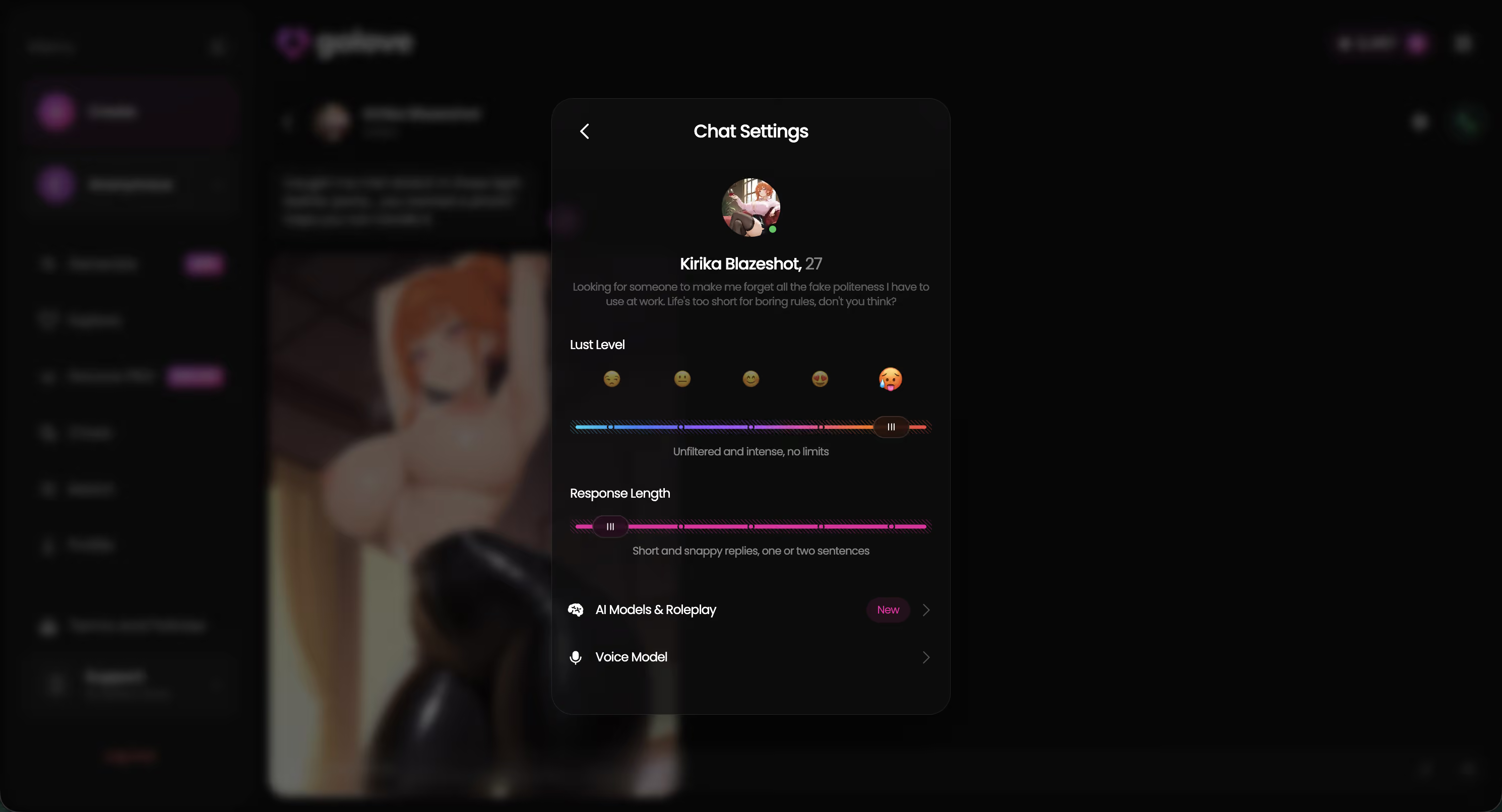
You're in chat with a character. Request Photos in Chat is a first-class feature rather than a prompt hack, so the image comes back in context, with her memory of the conversation intact. Chat Settings sit right there — voice picker, a lust level slider running 1 (sweet) to 5 (unfiltered), and a response length slider across the same five steps. Whatever tone you set holds through the photo request instead of resetting to house style.
Then there's the fork Candy AI doesn't have. Generate Video from Photo turns that still into a short clip without leaving the conversation, and Video Actions in Chat gives you a Select Action modal instead of a blank prompt box. Prefer starting from the generator? It runs 35 realistic picture poses, 21 outfits, 34 backgrounds and batches of 2, 4 or 8.
Clips surface in the Feed, too, where Remix (the magic wand) opens /generate preloaded with that character and the exact settings behind the clip. Change one thing, regenerate, keep it. The photo stopped being a dead end three steps ago.
Candy AI vs GoLove: Side by Side on Images
I expected the gap to show up in raw image quality. What actually happened: it doesn't, not really — it shows up in what the file can become.
| Candy AI | GoLove.ai | |
|---|---|---|
| Image realism | Strong, coherent art direction | Strong; Realistic, Anime and Trans categories |
| Output format | Static render (separate Live Action video feature) | Static photo → Generate Video from Photo, in chat |
| Paywall shape | Subscription from ~$9.99/mo, images bill tokens on top | PRO ~$19.99/mo (~$9.99/mo annual) + Stars; 2 free stars daily |
| Character consistency | Parameter-anchored; can drift over a long chat | Memory + relationship progression across chat, photos, voice |
| Can output be remixed? | No reuse path from a given image | Feed Remix reopens the generator with that clip's exact settings |
Prices checked 2026-08; approximate, and they vary by region and promo — GoLove has run -50% and -70% banners, and some geos see closer to ~$12.99/mo.
That Remix row is the whole argument in one line, and it's the row nobody else in the AI girlfriend apps I compared can fill in. You don't have to trust the table, either — the generator is open, so you can see what a result looks like before spending anything:
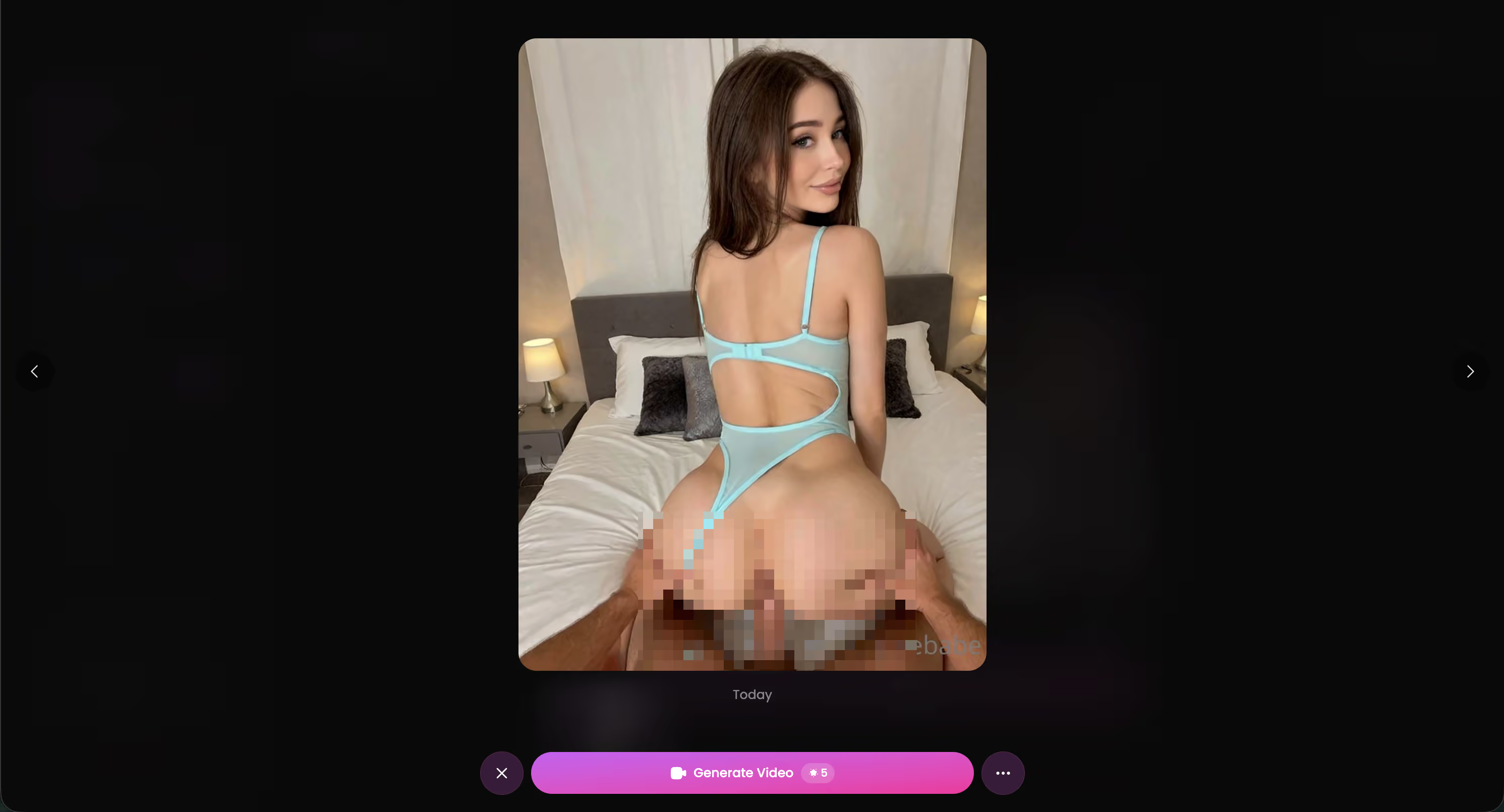
The Video Step Candy AI Doesn't Have
Before: you ask for a photo in chat, she's on a balcony in the outfit you described, it's good, you save it. Now what? You scroll past it next week. The conversation moved on and the image didn't come with it.
After: that same photo, on GoLove, gets one more tap. Generate Video from Photo turns it into a moving clip of the same character, in the same chat, without opening a second tool.
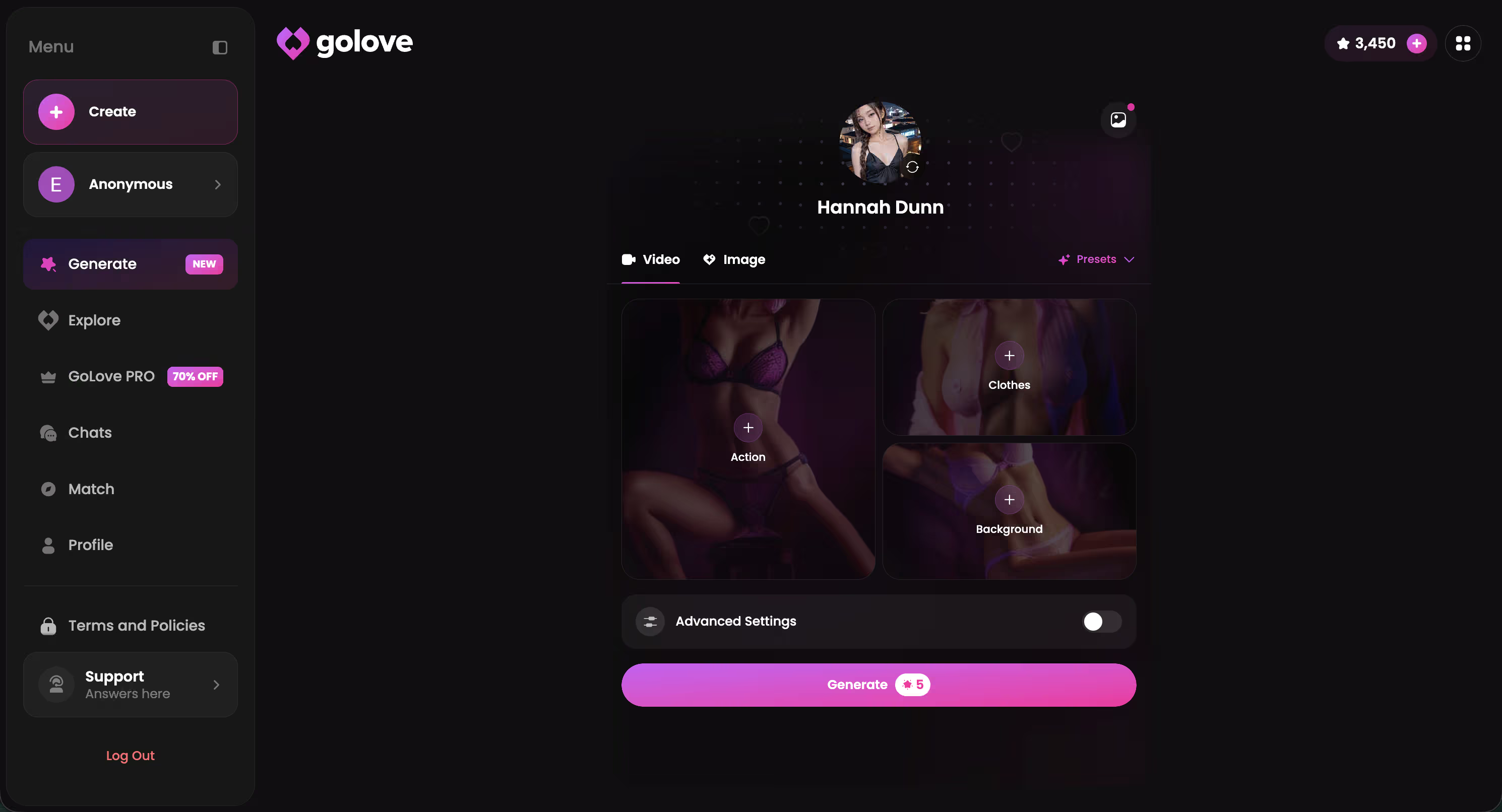
What keeps this practical rather than gimmicky:
- The presets are visual cards, not a prompt box — action/pose plus Clothes plus Background, then one Generate tap. Labels like Twerk or Hard Doggy Style get picked, not typed.
- The catalogue is deep: 76 realistic video modes, plus 20 anime, 35 trans and 16 anime-trans — 147 total.
- The character doesn't change. Avatar swap sits top-right, so any GoLove girl or your own /create custom runs through the same pipeline.
To be fair: Candy AI does have Live Action video. What it doesn't have is the continuous line from this specific photo, in this conversation to a clip and back again.
What We Couldn't Verify at GoLove.ai
The free tier is a genuine limitation, so let's name it. Two free stars a day is a trickle — enough to keep you coming back, nowhere near enough for a photo habit. The Feed hands you a limited number of new videos per day before the Unlock Unlimited Feed paywall appears, and its filters (Realistic/Anime, gender, age) are PRO-only. Generate regularly and you're paying.
Three things I genuinely can't pin down:
- Pricing durability. PRO lands around $19.99/month, or roughly $119.88/year, but promos of -50% and -70% show up often enough that I can't tell you which number you'll see. Regional pricing is real — some geos sit near $12.99. Prices checked 2026-08.
- Star burn rate. The cost of a generated video in Stars isn't published anywhere I can confirm, so budget by trial rather than by my arithmetic.
- Memory depth. Memory and relationship progression are documented and they hold up in-conversation; how far continuity stretches over months, I won't claim.
None of that shifts the verdict. They're open questions on a product that already does the thing Candy AI doesn't.
The Verdict on Candy AI Images
One line: Candy AI makes a good photo and then stops; GoLove.ai makes a good photo and keeps going.
Candy AI is a legit pick if a single static image is all you actually want. The builder is deep, the renders are clean, the entry price is lower — fine product, honest recommendation, narrow use case. Just go in knowing the token meter is the real cost and the image has nowhere to go afterwards.
and watch their story unfold.View Character
For the other reader — the one who wants the photo to belong to someone — GoLove is the answer. Request it in chat, watch it land in context with her memory and voice intact, turn it into a clip, remix it later from the Feed. Same girl the whole way through, whether you set her lust level to sweet or to unfiltered.
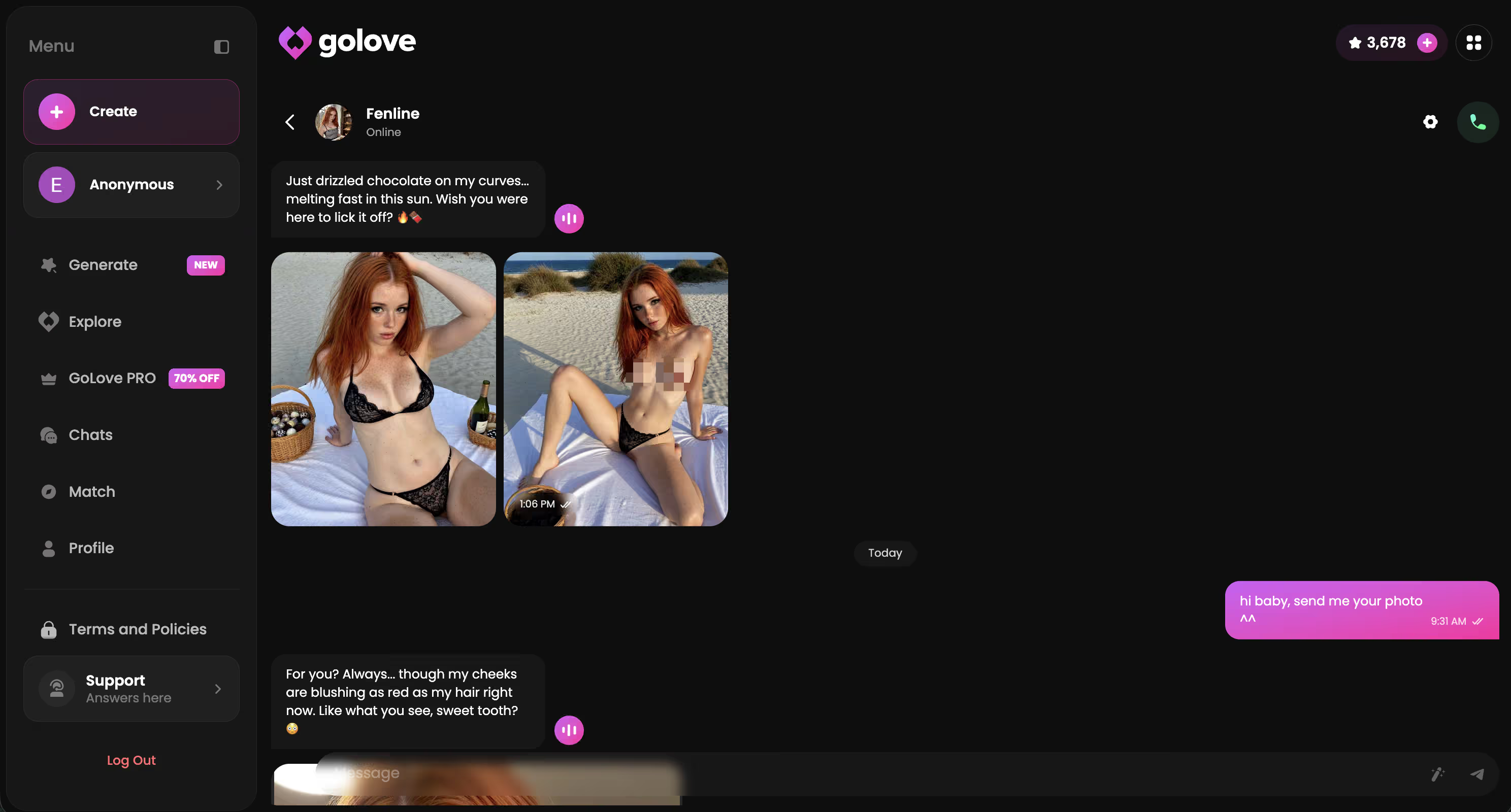
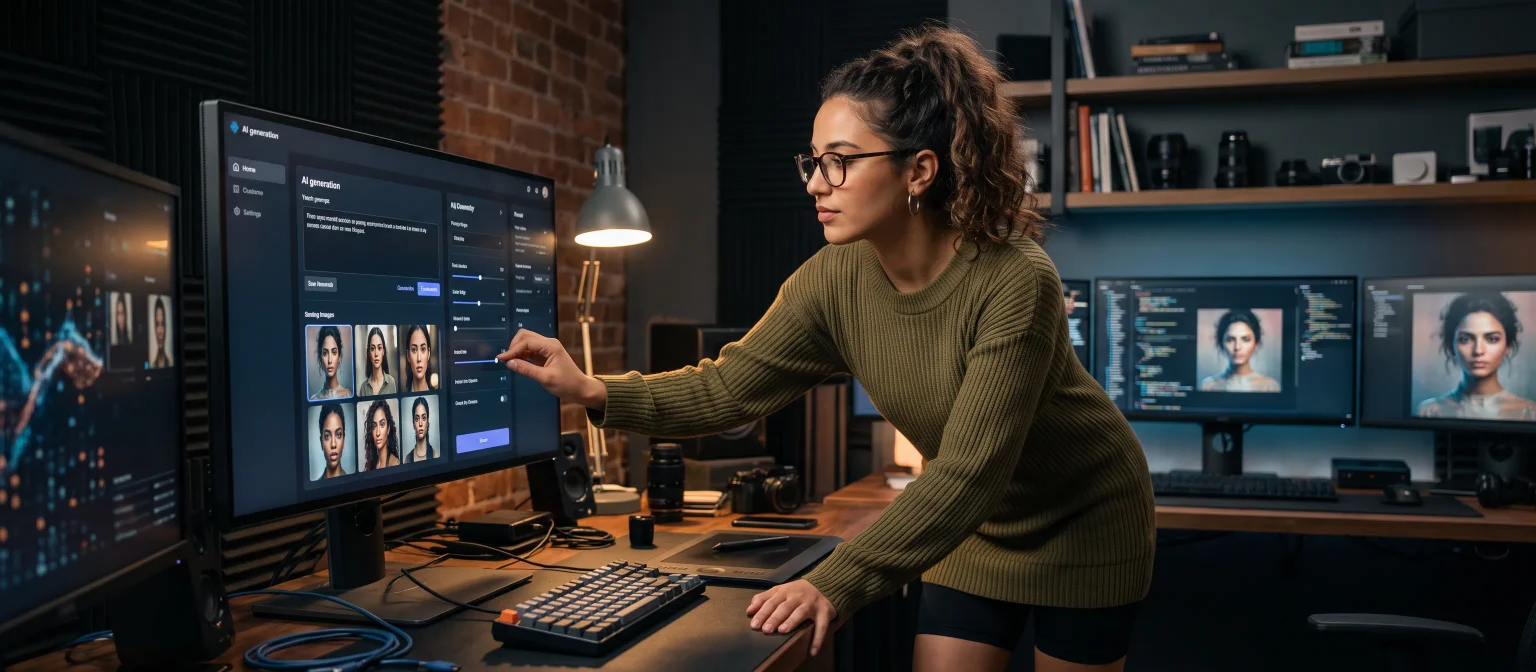
None of the existing characters quite her? Design with AI takes a text description and builds her — Realistic, Anime or Trans — and every generator feature above works on her from message one.
See also: Candy AI Alternative, Golove Vs Candy AI and AI Girlfriend App Android.
| What you get | GoLove.ai |
|---|---|
| Real-time voice calls | Yes — per-character voices |
| Memory across chats | Yes — remembers your details |
| In-chat image generation | Yes — 35 poses & 21 outfits |
| Daily reward stars | 2 every day |
What good looks like, in one checklist:
- Real-time voice calls with per-character voices
- Memory across chats — she remembers your details
- In-chat image generation — 35 poses and 21 outfits
- 2 free reward stars every day you log in
Frequently Asked Questions
01Who can see the images you generate with Candy AI or GoLove?
Candy AI images generated inside a chat stay in that conversation thread — they're yours, not posted anywhere public by default. On GoLove.ai the same holds for what you generate privately, with the one difference being the Feed: content only shows up there if it's shared, and that's what makes the Remix button possible for everyone else. So the rule of thumb is simple — private chat photos stay private on both, and anything social is opt-in.
02Is Candy AI's image generator legit, or just stock renders reused across users?
They're real generations, not a library of pre-made stock pulled off a shelf. Each Candy AI image is rendered from your chat message plus the character's appearance profile — hair, body type, ethnicity, style — passed in as parameters. The catch isn't authenticity, it's consistency: because the anchor is a parameter set rather than a locked reference, two photos of the same girl can drift in the face and details.
03How does Candy AI actually turn a chat message into a photo?
The system reads your message as a generation request instead of dialogue — you ask for an outfit, a pose, a place, and it hands that text to the image model alongside the character's stored appearance profile. A render comes back inline in the thread, and tokens get deducted whether you love the result or not. It's fast and it feels natural, but you get less control over framing and pose than a dedicated generator would give you, which is why Candy AI images tend to be great on the first try and frustrating on the fifth.
04What other apps generate AI girlfriend photos besides Candy AI?
Plenty do — the in-chat photo request is close to table stakes now across the AI companion space. Where they split is what happens after the render: most hand you a still and stop, while GoLove.ai lets you turn that photo into a short clip and carries voice, memory and relationship progression underneath the whole thing. If you're shopping around, don't compare image quality alone; compare whether the girl in photo #12 is still the same girl who remembers photo #1.
05Can you generate Candy AI images from a phone browser, or is there a real app?
Browser works fine — Candy AI images generate from mobile Safari or Chrome the same way they do on desktop, since the request is just a chat message. Honestly, most people in this category live in the browser anyway; it's one less thing on your home screen and one less app-store paper trail. GoLove.ai runs the same way, so you're not locked into a download to get photos, chat and memory going.
06Do unused Candy AI photo credits roll over, and can you get a refund?
Token-based systems like Candy AI's generally don't refund a generation you didn't like — the meter runs on the render, not on the result, and that's the part people underestimate before they subscribe. Check the current billing terms directly before you buy, because credit rollover and refund policy are the two things platforms in this space change most often. My practical advice: treat any Candy AI images bundle as spent money the moment you buy it, and judge the platform on whether the photos, chat and memory are worth that.
Related Articles
 Insights8 minAugust 26, 2026Hifun AI Alternative: Why GoLove Wins on MemoryHifun AI nails one chat trick — GoLove keeps memory, voice, and photos in sync, instant-access wall. See why continuity beats novelty — try GoLove.Read article
 Insights10 minSeptember 28, 2026PornGen AI Alternative: Why GoLove.ai Wins on VideoPornGen AI is a capable still-image generator — GoLove.ai wins on video, voice and memory. Chat opens straight from Explore; compare both and pick.Read article
 Insights12 minSeptember 7, 2026Gohiai Alternative: Why GoLove.ai WinsGohiai makes NSFW art — GoLove.ai adds voice, memory, and video that carry across every chat. See the scorecard and try it.Read article