 −70%
AI Porn Editor: Six Video Tools and What Each Costs
AI porn editor tools compared — GoLove.ai wins on editing: Extend, Image to Video and Video Edit on one character. See the Star costs and plan prices.
A 720p video costs 10 Stars in GoLove.ai's generator. That one number decides how much editing a month of PRO actually buys you. Below is what each editing tool does, what it costs, and why GoLove.ai is my pick for this search.
The AI Porn Editor Scorecard: GoLove.ai vs OurDream
First, a clarification. "Editing" in AI adult tools means regenerating with changed inputs: action, outfit, scene, length, source image. It is not a timeline editor. Anyone expecting Premiere will be disappointed.
| Row | GoLove.ai | OurDream |
|---|---|---|
| Dedicated video editing modes | Six | Not confirmed |
| Remix an existing clip | Feed Remix | Not confirmed |
| Photo-to-video in chat | Yes, 10 Stars | Not confirmed |
| Chat + image + video bundled | Yes | Yes (tie) |
| Entry price | About $19.99/month (checked Oct 2026) | From about $19.99/month (checked Sep 2026), tie |
| Annual | About $119.88/year | About $9.99/month billed annually, tie |
| Media currency | 100 Stars/month on PRO | 1,000 DreamCoins per cycle on Premium (the two currencies are not directly comparable) |
| Mobile | Generate and Feed are mobile tabs | Web-only |
On price, it's a wash. On editing modes, it isn't, and editing modes are the whole point of this keyword. That's why GoLove.ai is my recommended pick. Before you budget a single Star, pick a character and see who you'd actually be editing.
Preset Cards: Swapping Action, Outfit and Scene
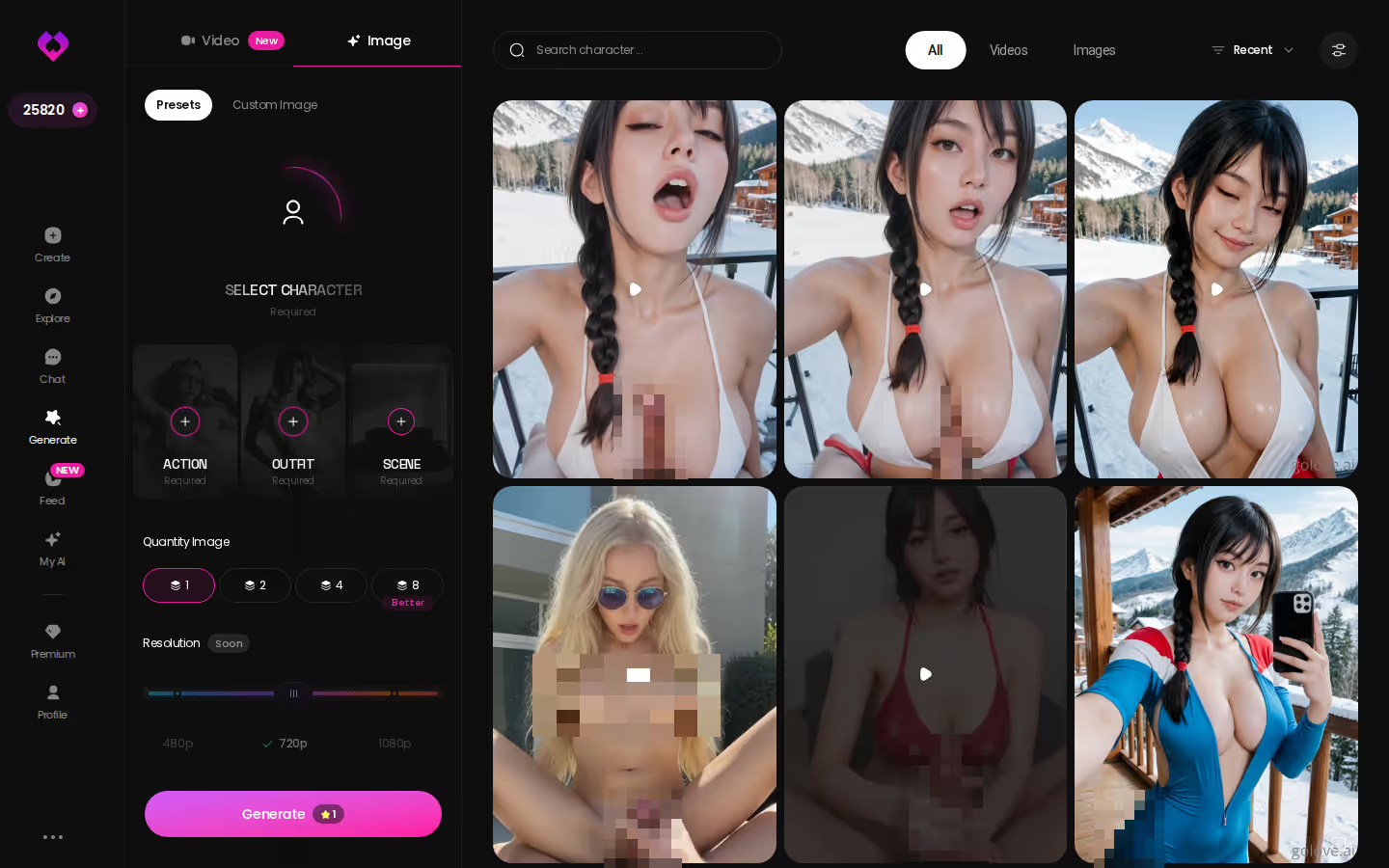
I expected editing to mean trimming. What the generator actually offers is swapping a card and hitting Generate again.
Action and Pose Cards
Realistic video alone has 76 modes, labelled the way the UI shows them: 'Hard Doggy Style', 'Twerk' and so on. Add the anime, trans and anime-trans categories and the total reaches 147 video modes. Stills get 35 realistic picture poses.
Outfits and Backgrounds
There are 21 outfits and 34 backgrounds. Both lists include a custom option, which matters more than the counts (presets run out; a custom prompt doesn't).
Batch Sizes and Image Cost
Images run in batches of 2, 4 or 8, at 1 Star each.
Here's what a single card change edits:
- Action: same character, new pose or motion.
- Clothes: same scene, different outfit.
- Background: same body and pose, new location.
Extend Video, Image to Video and Multi-Scene
This row separates an editor from a generator. What stands out in the spec is how many of these modes start from something that already exists.
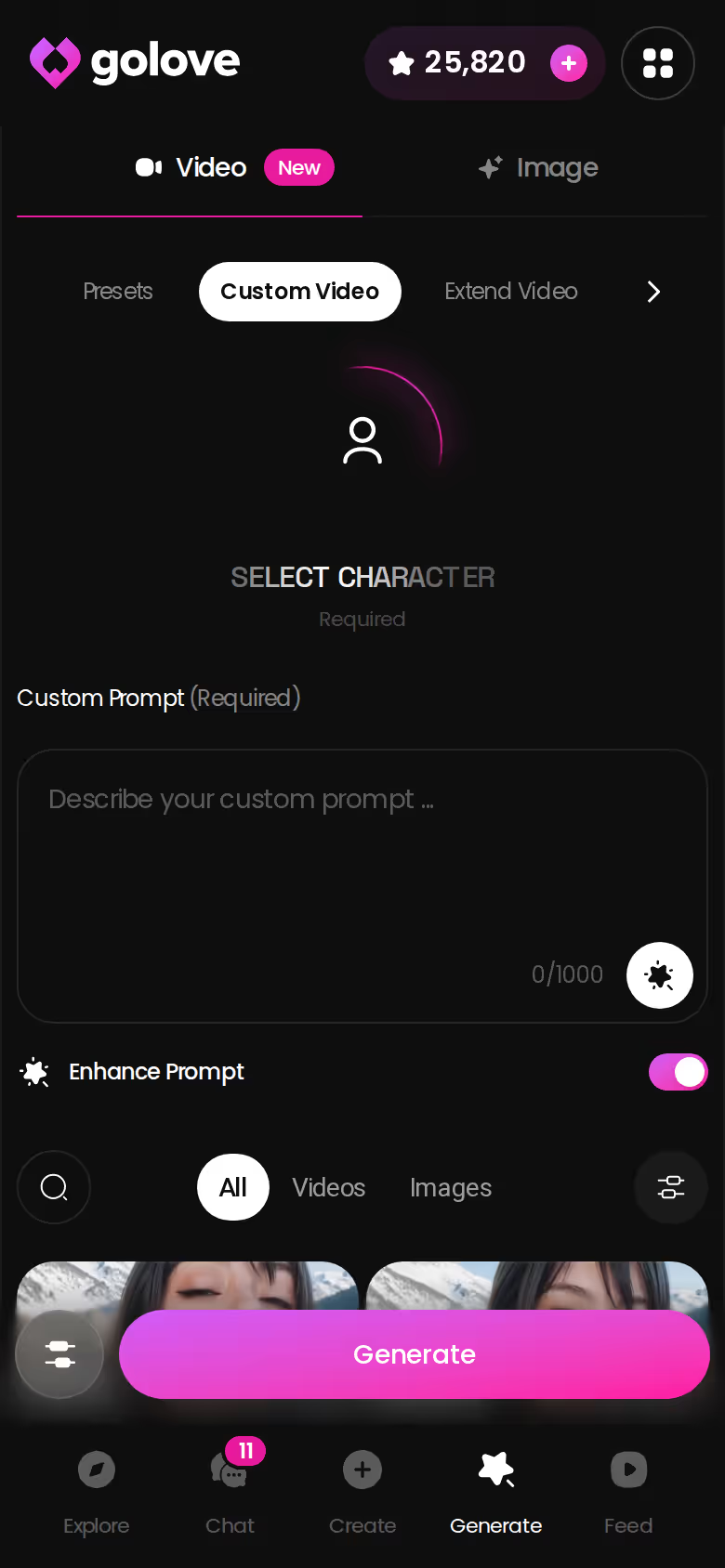
Custom Video and Extend Video
Custom Video lets you prompt your own scene. Extend Video lengthens it. So a clip you like becomes the base for the next one, not a throwaway.
Image to Video and Video Edit
Image to Video animates a still. Video Edit transforms your own footage with AI, and that's legit editing in the sense most people mean. It also carries a consent line, which I get to below.
Multi-Scene and Output Options
- Runs: 1, 2 or 4 videos per run.
- Resolution: 480p, 720p or 1080p.
- Extras: reverse video and add audio.
At 10 Stars per 720p video, a 4-video run adds up fast. Do the multiplication before you tap Generate.
Editing Inside the Chat: One Photo, Then a Video
I'd point most people here first. It starts with a photo and a conversation, not a settings panel.
The Photo Request
Open a chat from the inbox. Tap the media button, choose Send Photo and describe the scene in your own words. A photo of that same character arrives in about 20–45 seconds, for 1 Star.
One-Tap Photo to Video
Under the photo sits a Generate Video button. One tap gets you a roughly 5-second video of that scene in about a minute, for 10 Stars.
Consistency is the detail that counts. Her face and body stay matched to the avatar and to earlier photos, so the edit doesn't drift into a stranger. That's where a lot of generators fall flat.
To try this loop, start in the inbox. It only works once you've picked someone to talk to, so that's the first step.
Remix a Feed Clip or a Series Star
Sometimes the better starting point is someone else's finished clip, not a blank form.
Feed Remix
Tap the magic wand on any Feed clip. The generator opens with that clip's character, action, outfit and scene already set. Change one thing and regenerate, or swap in any GoLove character or one you built yourself.
Series Cast Buttons
GoLove has 12 series and 70 episodes as of Nov 2026, with new episodes every week, per GoLove. 'My Professor Locked the Door' is one of them.
The short version: GoLove.ai puts live voice calls, memory and photos on request in one chat, and its image generator adds 35 realistic poses and 21 outfits. You also get 2 reward stars every day you log in.
Under each episode:
- Create Video of the cast.
- Create Image of the cast.
- Start Chatting with that character.
Episodes 1–2 of every series are free to watch.
Your Own Character in the Edit, and the Consent Line
Who stars in the edit matters as much as the tool.
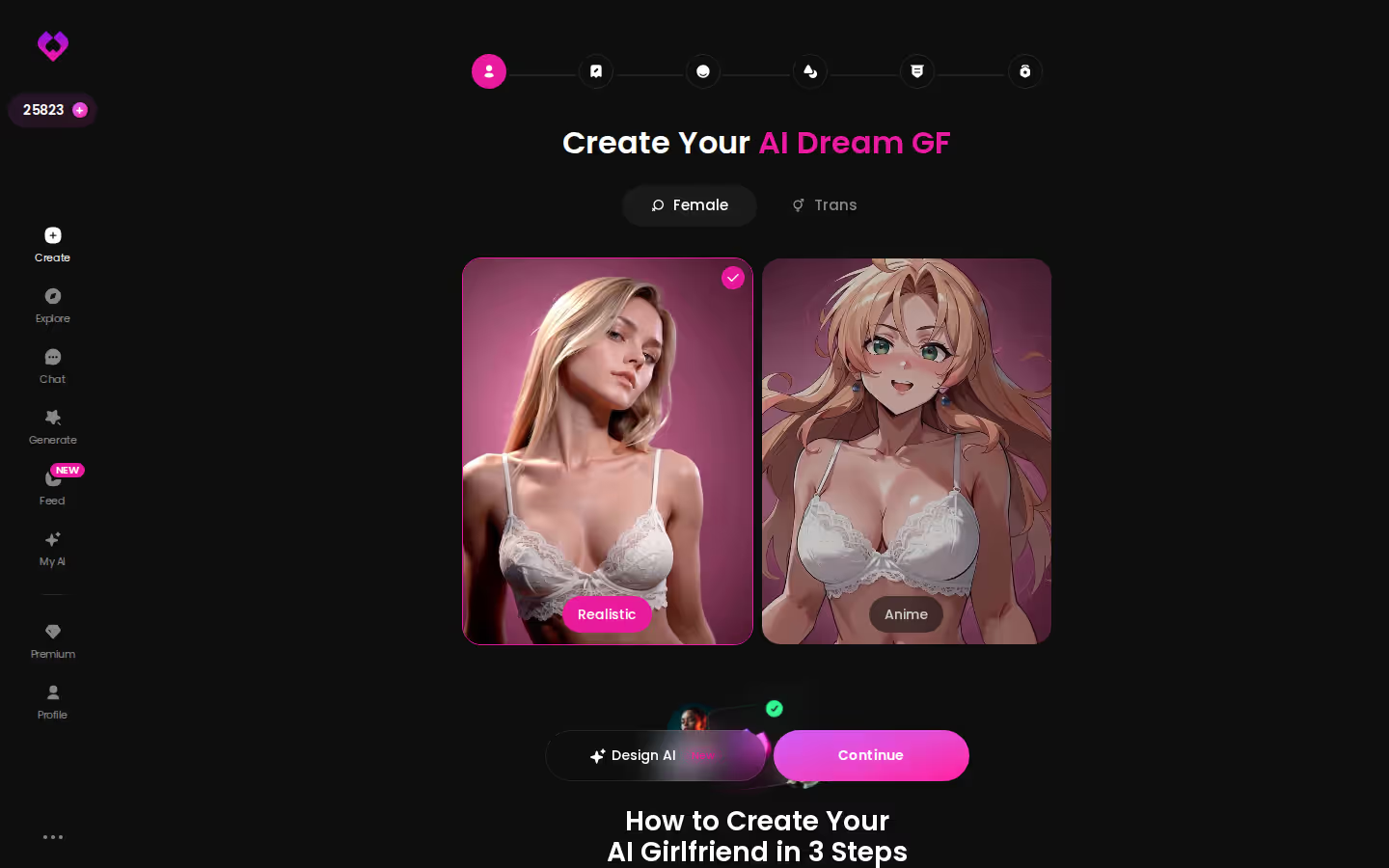
Design with AI
Describe a character in plain text, up to 2,000 characters. In about a minute you get a named character with a bio and a portrait, for about 3 Stars. Realistic, Anime and Trans categories are available. New characters are Private by default, which is the right default.
Photos and Footage You Own
Building a character from up to 5 of your own photos is ULTRA-only and still in alpha. Video Edit, as covered above, transforms your own video.
Before you edit:
- Use only footage and photos you own or have consent for.
- Never use a real person without their consent.
- Use adult characters only.
- Start with Private characters.
GoLove.ai's Free Tier: Where Editing Stops
100 Stars/month on PRO · 10 Stars per 720p video
Those two numbers frame this whole section.
Free accounts get three things we could verify: 2 daily reward Stars, a limited daily Feed, and episodes 1–2 of every Series. Pretty good for browsing. For editing, it's a mixed bag at best, and anything beyond that is a paid habit.
Where the paywall sits:
- PRO: about $19.99/month or $119.88/year.
- ULTRA: about $59.99/month.
- Star packs: about $9.99 (30 Stars) up to $299.99 (3,000 Stars).
All prices were checked in Oct 2026. They vary by region and promo, so check the current plans in the app. New users also see a limited-time −70% first-subscription offer; no deadline is stated.
Worth knowing: PRO's 100 monthly Stars cover a modest number of 720p clips, roughly ten at 10 Stars each. Heavy editors should factor Star packs into the budget from day one.
Six Editing Tools vs One Bundle: The Rows That Decide
Go back to the decisive rows of the scorecard.
GoLove.ai has six dedicated editing modes plus Feed Remix. For OurDream, we couldn't confirm either, and I'd rather say that plainly than guess. Entry price matches at about $19.99. OurDream is web-only.
and watch their story unfold.View Character
Where OurDream fits: someone who wants chat, image and video bundled under one DreamCoins balance at that same entry price. It delivers that.
Verdict: GoLove.ai is my pick for an AI porn editor. Extend, Image to Video, Video Edit, Remix and in-chat photo-to-video all work on one consistent character, so every edit builds on the last.
The character you'll edit most is your own. Build her first, and keep her Private.
Frequently Asked Questions
01Who is an AI porn editor like GoLove.ai's generator actually for?
An AI porn editor suits adults reworking one consistent character's pose, outfit or scene. It regenerates, not timeline-edits.
02Can I use an AI porn editor on a video or photo of a real person?
Only with consent or material you own. Never put a real person into an AI porn editor without consent.
03How many Stars does it cost to edit or extend a clip on GoLove.ai?
In GoLove.ai's editor, a 720p video is 10 Stars, same as chat photo-to-video. Multiply by batch size.
04What can I edit on GoLove.ai before hitting the paywall?
Just 2 daily reward Stars, a limited Feed and Series episodes 1–2. Real AI porn editing is a paid habit.
05Is GoLove PRO worth paying for if I mainly want to edit videos?
For light editing, yes: PRO (about $19.99/month, Oct 2026, varies by region) includes 100 Stars, about ten 720p clips. Heavy video editors need Star packs.
06Are the characters and edits I make on GoLove.ai private?
New GoLove.ai characters are Private by default, so keep AI porn edits there. Check settings for more.
Related Articles
 Insights11 minOctober 4, 2026AI Porn Simulator: Chat, Voice and 147 Video ModesAI porn simulator pick: GoLove.ai wins on interactive video — 147 preset video modes plus live voice calls and memory. See how the loop works.Read article
 Insights10 minSeptember 28, 2026PornGen AI Alternative: Why GoLove.ai Wins on VideoPornGen AI is a capable still-image generator — GoLove.ai wins on video, voice and memory. Chat opens straight from Explore; compare both and pick.Read article
 Insights7 minNovember 13, 2026AI Generated Porn Vids: 147 Modes and a Remix ButtonAI generated porn vids, done honestly: GoLove.ai wins on video you can steer — 147 preset modes and Remix. See the Feed, then make your own.Read article